
Logic built around your workflow
Features, permissions, and flows are designed around how the business actually operates instead of forcing it into a fixed template.
Systems & Engineering
We build custom web systems, dashboards, and integrations that organize operations, reduce manual work, and improve efficiency.

Features, permissions, and flows are designed around how the business actually operates instead of forcing it into a fixed template.
Interfaces, data, and services are connected to reduce duplication and disconnected tools inside the same operation.
Who it fits
Services within this area
These are service types within the main offering, with details defined according to each project.
Systems that organize data, operations, and follow-up inside companies and organizations.
Software built around the project's own workflows and requirements instead of forcing an unsuitable ready-made system.
Administrative interfaces for data, users, content, and operations in one place.
Turning repetitive manual steps into digital workflows that reduce time and duplication.
Building and connecting APIs so different systems and services can exchange data reliably.
What you receive
The exact deliverables depend on your project scope, but these are the elements that may be included in the service.
Features built around the actual scenarios the system needs to support.
Interfaces for managing data, workflows, and monitoring according to user roles.
Organizing data, relationships, and access rules around how the system operates and who can do what.
Connecting the system to websites, apps, or external services when suitable integration interfaces are available.
Turning repetitive manual steps into automated flows when the process is suitable for automation.
Bringing important information into views that help the team monitor what is happening inside the system.
Building internal interfaces and features for workflows that off-the-shelf tools do not cover well.
Breaking a larger system into priorities so the most important part can be built first and expanded in a controlled way.
What depends on the project
How it is delivered
Clear steps from understanding the need to execution and delivery.
We map who uses the system, what they do, and where work is repetitive, manual, or disorganized.
We define entities, permissions, flows, and integrations before detailed implementation.
We implement the system in reviewable stages and test the core scenarios with their data and permissions.
We prepare the approved version for use and organize later phases or additions by priority.
Related work
See how this service takes shape across different projects and needs.
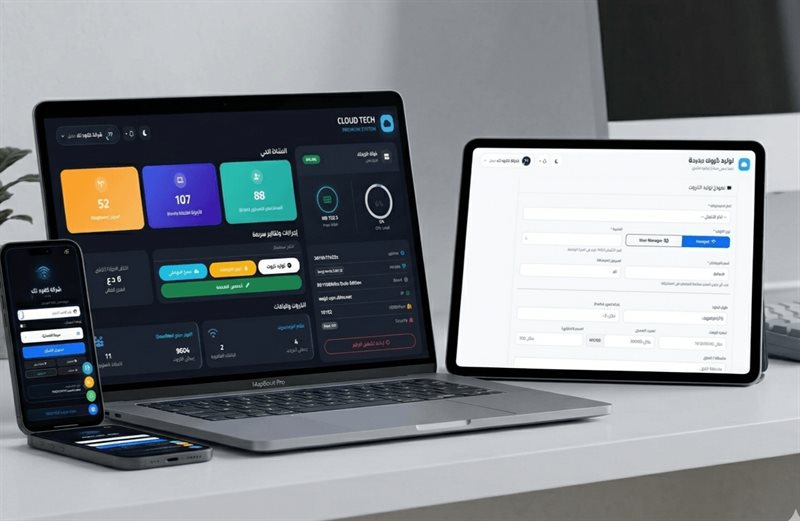
Web management system
A control dashboard for managing Wi-Fi network users, cards, and sessions through one interface for day-to-day operations.

Content management dashboard
A centralized content management dashboard that lets teams update website pages and content from one place instead of editing each part manually.
Questions before you start
When the workflow, permissions, or integrations are different enough that a ready-made tool creates more constraints than it solves.
Yes, when the existing architecture supports it. We review the current system first, then decide whether improvement, integration, or rebuilding makes more sense.
Yes. Phased delivery is often useful for larger systems because it lets the highest-priority workflows be implemented first.
Yes, when suitable APIs or integration methods are available and the required connection is clearly defined.
Next step
Describe the current process and where time or repetition accumulates, and we will organize the system scope.